

Job Schema Widget
For Elementor
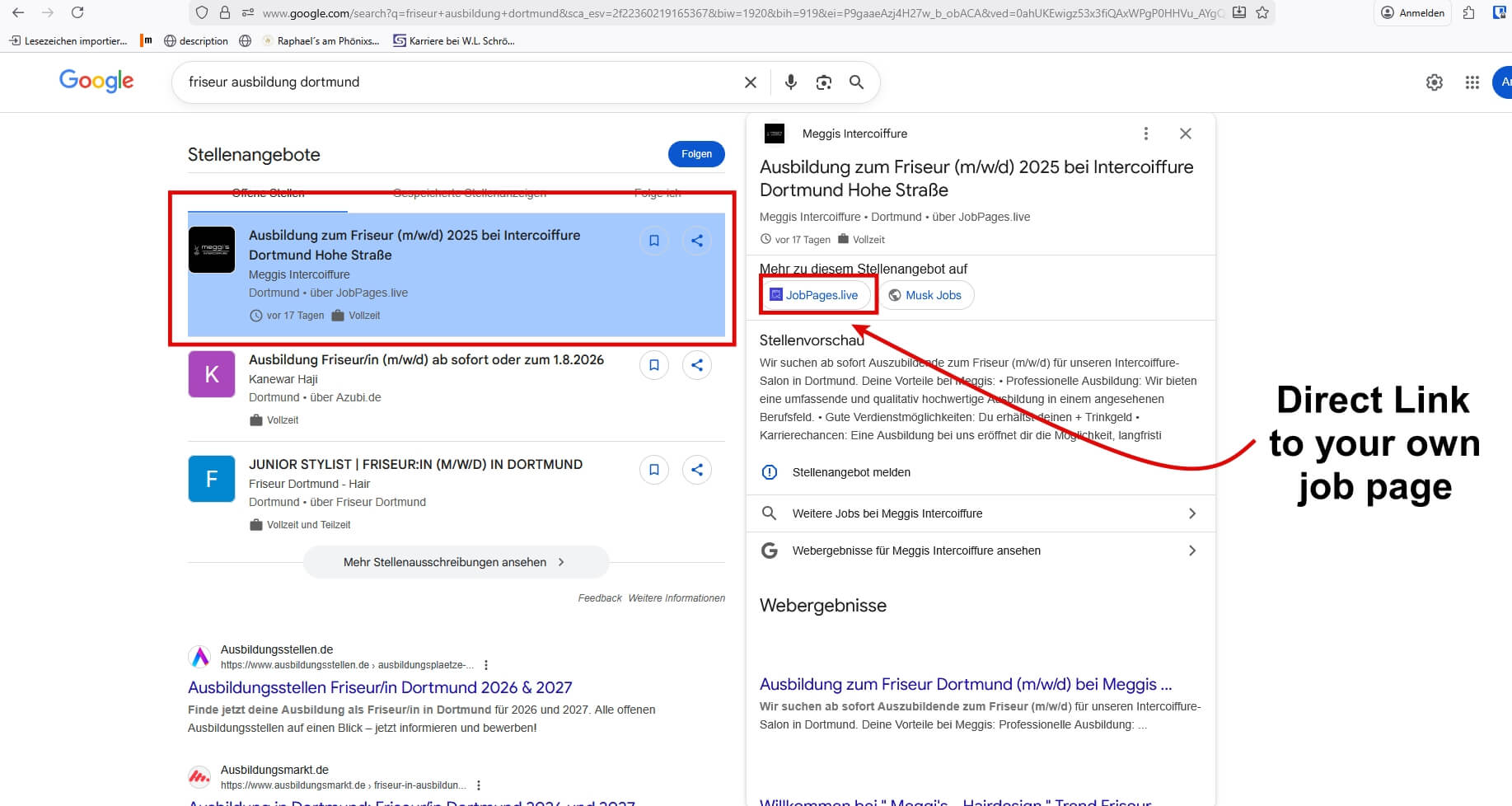
- Bring your Elementor Jobpages into the Google for Jobs-Box
- The widget automatically creates a JobPosting schema (structured data) for Google for Jobs
- Additional practical features such as “translation” included
About the Widget
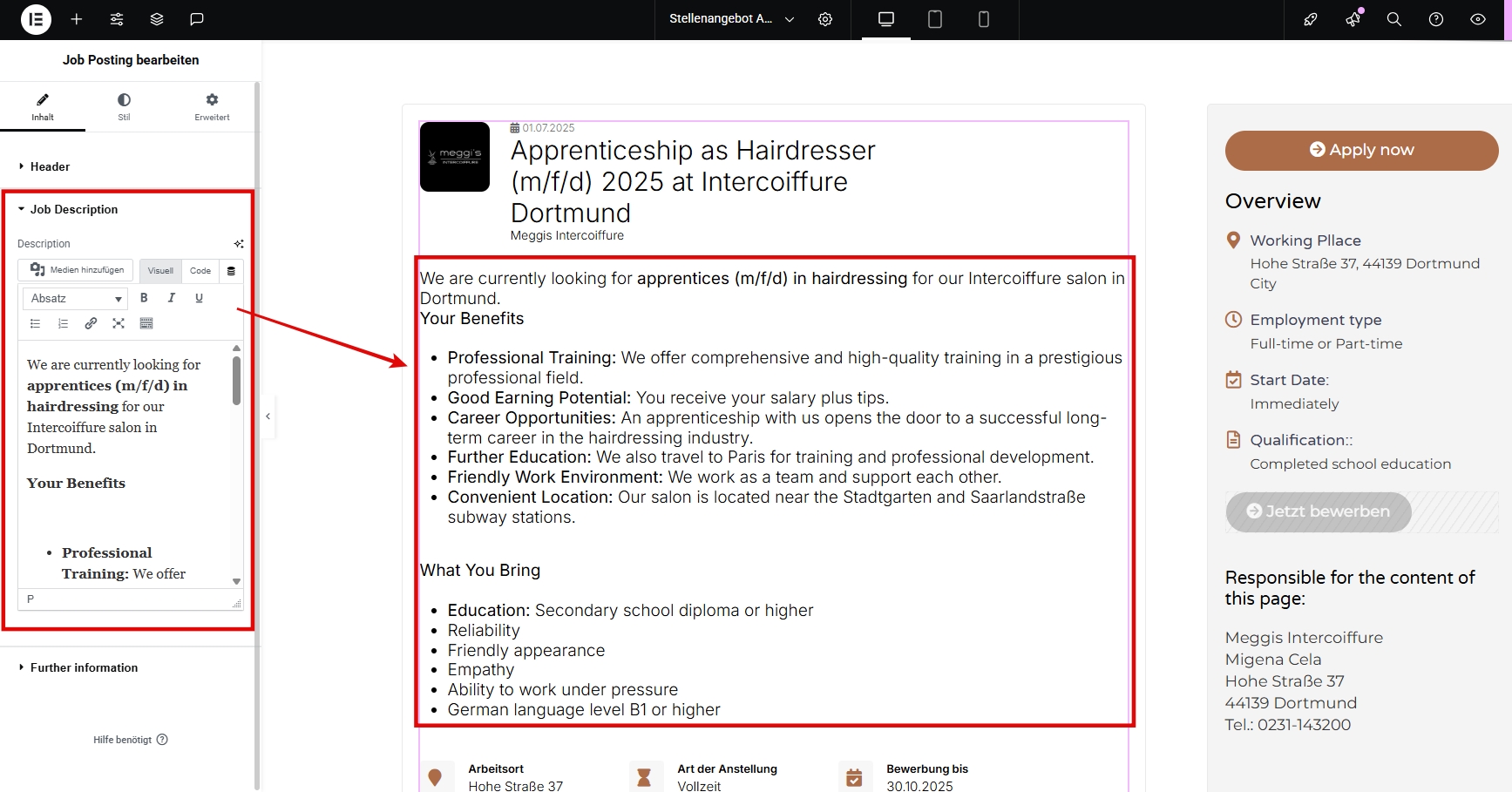
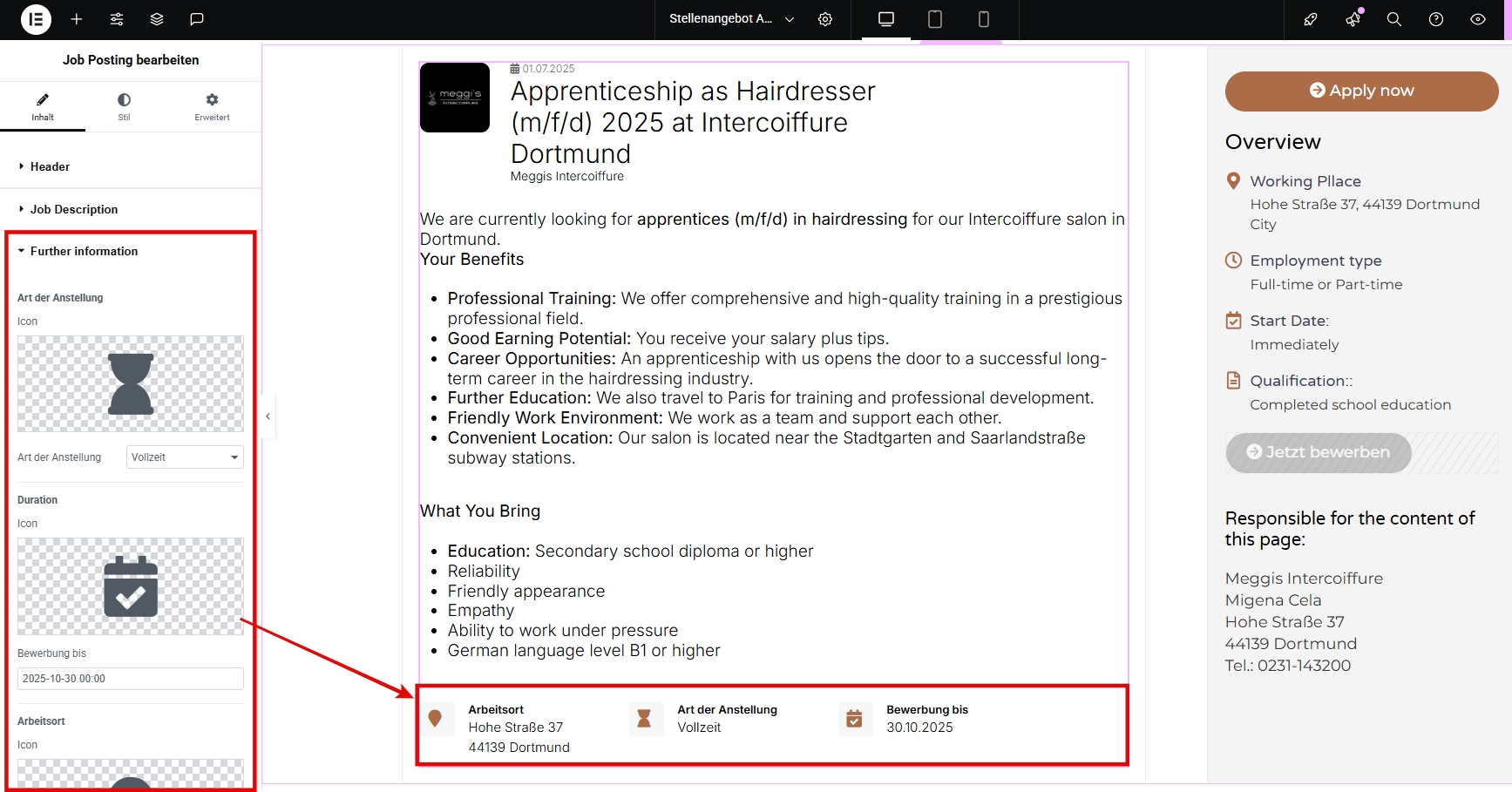
The widget allows you to create modern job postings directly on your website using Elementor and automatically generates structured JobPosting data for better visibility in search engines. The code for the structured data is integrated directly into your website.


Plans and Pricing
Here you can find the current offers for the Job Schema Widget. If you have any questions, please feel free to contact us in English at info@dein-seo-kurs.de.
* VAT may apply at checkout depending on your country of residence.

Support
Feel free to contact us, if you have any questions or suggestions for improvement.
FAQ & Knowlegde Base
The widget allows you to create attractive job listings directly on your website and automatically adds structured JobPosting data for better search engine visibility.
This widget was developed specifically for job postings. It not only offers you a professional, customizable design with simple styling options, but most importantly it automatically integrates the correct Schema.org data for job postings (JobPosting structured data). This is the necessary requirement to be listed in Google’s job search results with the Google for Jobs Box.
Structured data are crucial for the SEO of your job postings. They enable Google to understand the content as a job offer and display it directly in “Google for Jobs”. This results in significantly higher visibility and click-through rates (CTR) compared to traditional job postings. This way, you can reach qualified applicants more easily.
Quite the opposite! The widget works just as easily as any other Elementor widget. You simply drag and drop it onto your page and enter the job details into the corresponding fields (title, description, location, etc.) – the widget also offers the styling and design options you are familiar with from other Elementor widgets.
For languages other than English, you only need to pay attention to the translation, but there is a dedicated feature for this in the WordPress dashboard under “Settings.”
Unfortunately, there is no 100% guarantee, although it usually works very well. The widget generates the correct code for the structured data for JobPostings. This code is the necessary requirement for a job posting to be linked with Google for Jobs and displayed there.
Sometimes Google still does not display the job posting. One possible reason is that the page with the job listing is not indexed by Google or Google considers the quality of the page too low.
First check whether the correct code has been generated. You can do this using the following free tool from Google:
https://search.google.com/test/rich-results
In general, the code should be correct when using our widget. However, it is possible that you have not provided important information required by Google.
If the code is correct, you should check in the Google Search Console whether the URL with the job posting is indexed by Google. If it is not, you should definitely request indexing.